Gunungkidul is our first Free WordPress Theme in 2010, This theme built with 960.gs CSS Framework. We create most unique and simply WordPress Theme ever. There are a lot of featured built in on Gunungkidul.
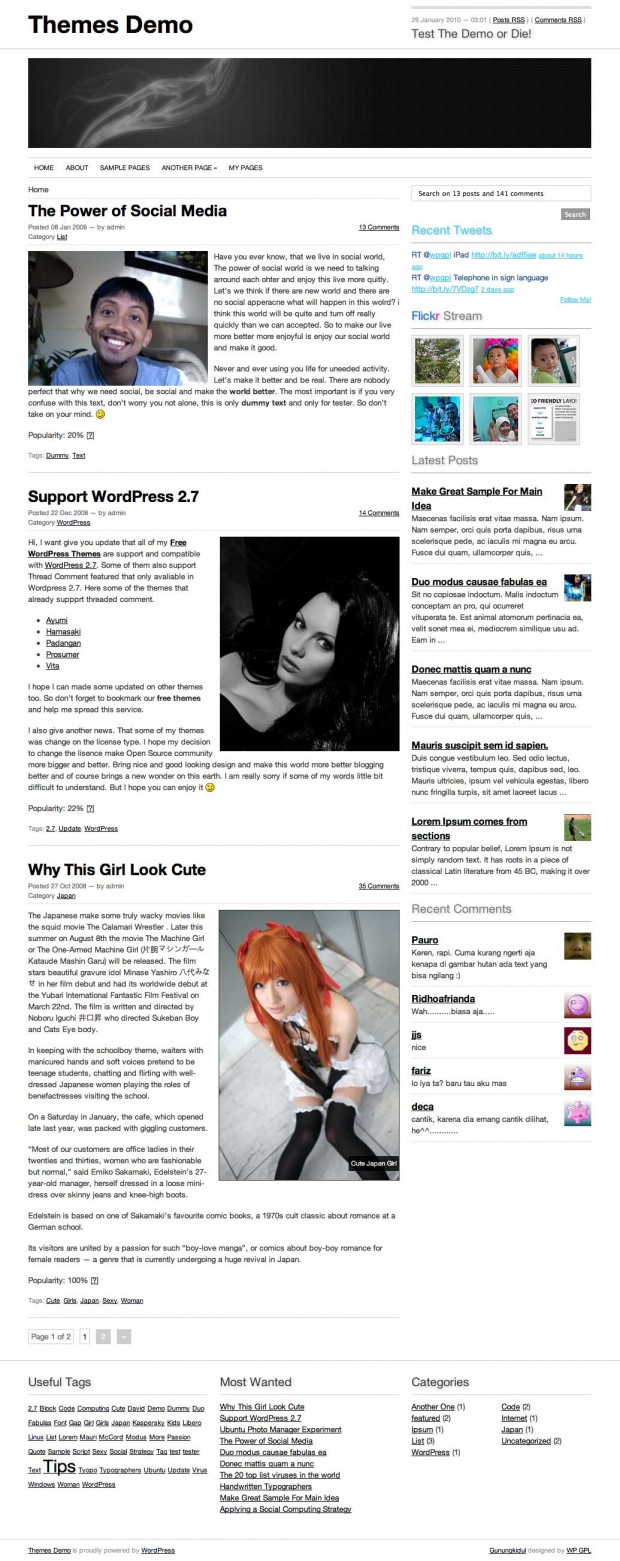 Gunungkidul WordPress Theme
Our main reason why Create Gunungkidul, I need to create something useful and easy to use WordPress Themes. And I have nicely plan, I will released minimally one themes each month in 2010. So if you have some idea, let’s share and we hope we can give the best to all of you.
What’s on Gunungkidul Theme
- 960.gs Framework
- Theme Options (Flickr Photos, Latest Twitter, TimThumb)
- 2 Columns with Extra Footer
- A lot of Widgets
- Simple and nicely fonts
- Hover effect (check the demo for more details)
- sans-serif Family (Helvetica, Arial)
- Page menu with Drop Down Menu
- jQuery
- And many more
- Rewrite WP-Caption using this tricks
- Recent Comment without plugin
- Recent Post with thumbnail (chmod 777 folder cache if you enable this feature)
- AddThis Social Bookmarks Tools
- ver 1.1: You can enabled or disabled Twitter and Flickr trough Theme Panels
- ver 1.1: You can add Twitter and Flickr trough widgets
Old Version
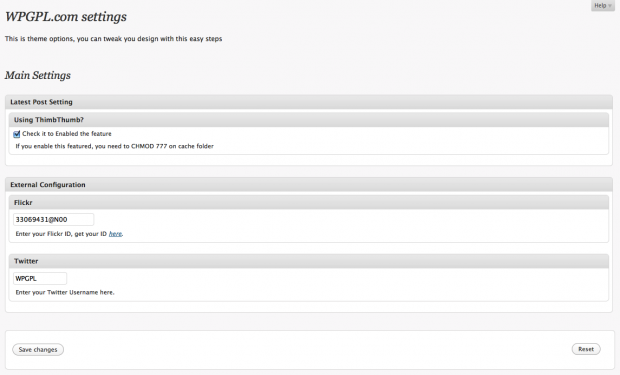 WPGPL.com Theme Options
New Version
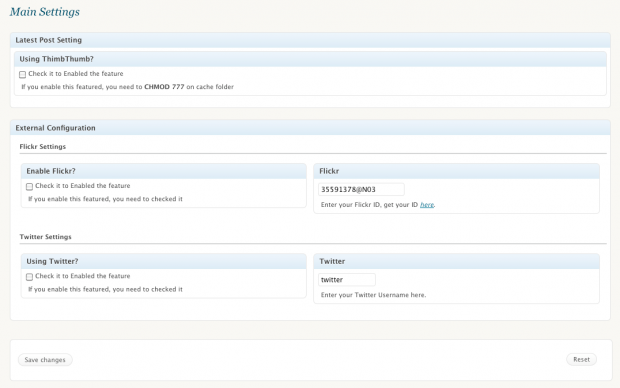 Gunungkidul New Theme Panel
Plugin Needed?
For better experience install this following plugins
Check Gunungkidul Theme demo and if you satisfied with it, please share on 😉
Download
You can download Gunungkidul on WordPress.org Theme Directory or using our links below
[download id=”10″]
Need custom?
Using our contact from.
Releases Notes
- 1.0 : Initial Released
- 1.1 : Fix and Redesigned Theme Panel, Better coding on header, sidebar and footer
- 1.2 : Published on WordPress.org Theme Directory
- 1.3 : Fix Blockquote CSS and Recent comment widget (thanks for Marita to reported this bugs)
Thank you for wordpress theme.
You are welcome
Really good template. Could you think about LIVE DEMO of this one right here?
i have use it on my site. for footer link, it save. Thanks for great design. But, in wp 3.1, thumbnail not shown up. do i got s’thing wrong ? i post recent post on my sidebar. but, i couldn;t find the thumb.
That’s really good template. Thanks for sharing that one free!! I use it on my blog’s.
Live demo is located :
Check Gunungkidul Theme demo and if you satisfied with it, please share on 😉
There you can clic on themo link and watch that beautifull template online. Good luck.
I’m having trouble with the sidebar. I have removed it on some pages but I’m left with some white space and the page doesn’t fill out correctly. Is this something you can help me with?
e.g.g7kse.co.uk/beacons/
Thanks
Alex
I really like your plugin, and I going to use it as my first wordpress website. I got a question, How to remove comment section from page only , not from posts pages?
Thank you very much
Eddie
That is really good template. Is that availiable to use on blogger.com? I like this design it gives a lot of possibilites to put google ads.
Great theme,
I like Twitter and Flickr widgets.
Thank you.
Nice theme. Thanks for sharing.
I have a proposal to you:> How about change H1,H2 color font for blue or so? there is not so much work but in my opinion could be much better. Anyway design is really clear and nice.
Hi,
I’d like to know if it is possible in this theme to show subcategories in the menu bar on the upper side of the page or only the main categories?
Thanks for your help!
Today I downloaded the theme and in the menu configuration panel it says:
‘The current theme does not natively support menus, but you can use the “Custom Menu†widget to add any menus you create here to the theme’s sidebar’.
I like to ask if this can be changed in one of the css files and if so, where can this be done or if there’s a plugin that can solve this.
Thanks for the theme, I like it a lot.
That’s really good template. Thanks for sharing that one free!! I use it on my blog’s
Great theme,Thank