Gunungkidul is our first Free WordPress Theme in 2010, This theme built with 960.gs CSS Framework. We create most unique and simply WordPress Theme ever. There are a lot of featured built in on Gunungkidul.
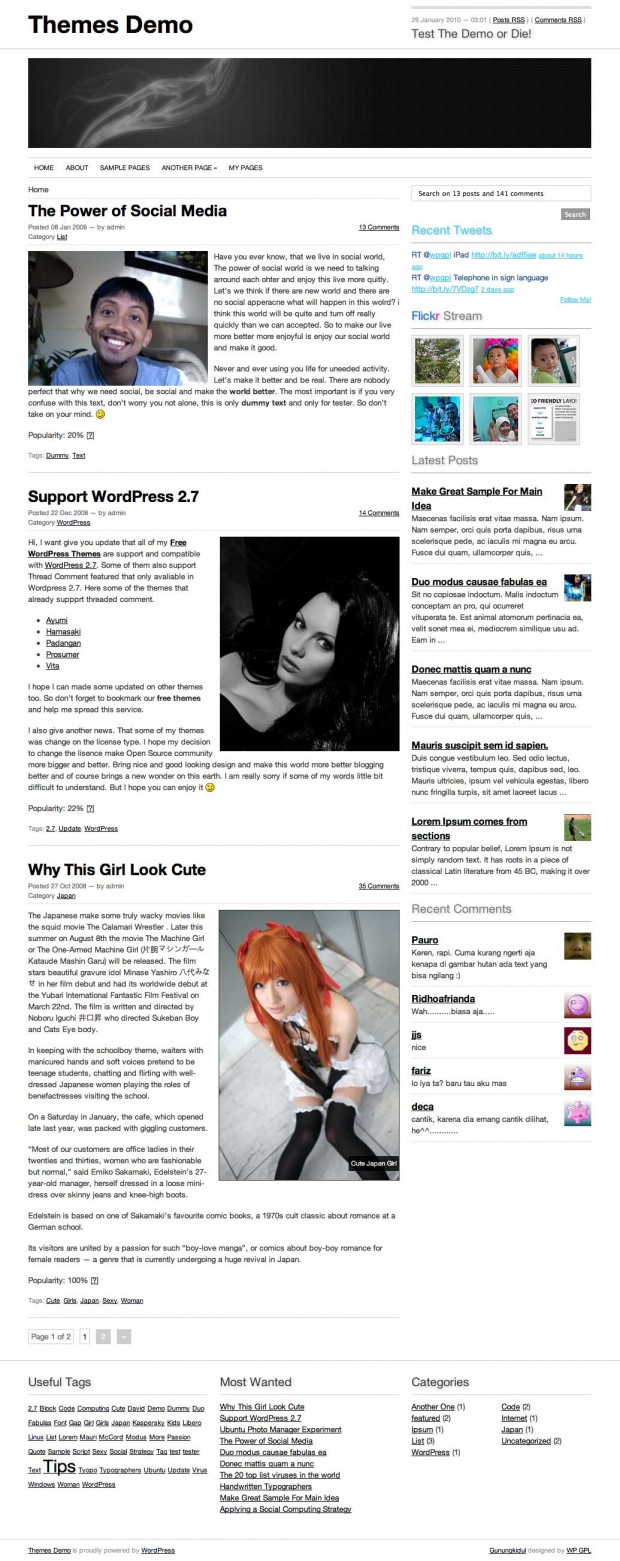 Gunungkidul WordPress Theme
Our main reason why Create Gunungkidul, I need to create something useful and easy to use WordPress Themes. And I have nicely plan, I will released minimally one themes each month in 2010. So if you have some idea, let’s share and we hope we can give the best to all of you.
What’s on Gunungkidul Theme
- 960.gs Framework
- Theme Options (Flickr Photos, Latest Twitter, TimThumb)
- 2 Columns with Extra Footer
- A lot of Widgets
- Simple and nicely fonts
- Hover effect (check the demo for more details)
- sans-serif Family (Helvetica, Arial)
- Page menu with Drop Down Menu
- jQuery
- And many more
- Rewrite WP-Caption using this tricks
- Recent Comment without plugin
- Recent Post with thumbnail (chmod 777 folder cache if you enable this feature)
- AddThis Social Bookmarks Tools
- ver 1.1: You can enabled or disabled Twitter and Flickr trough Theme Panels
- ver 1.1: You can add Twitter and Flickr trough widgets
Old Version
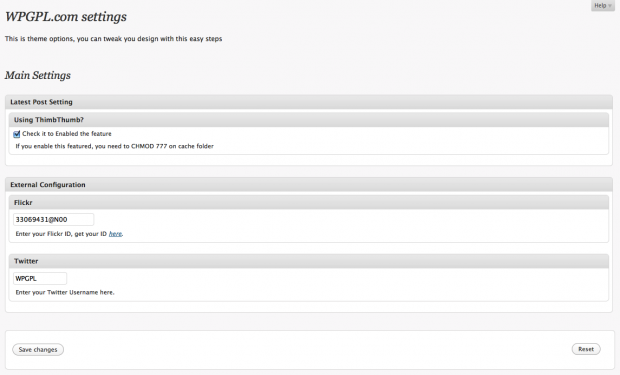 WPGPL.com Theme Options
New Version
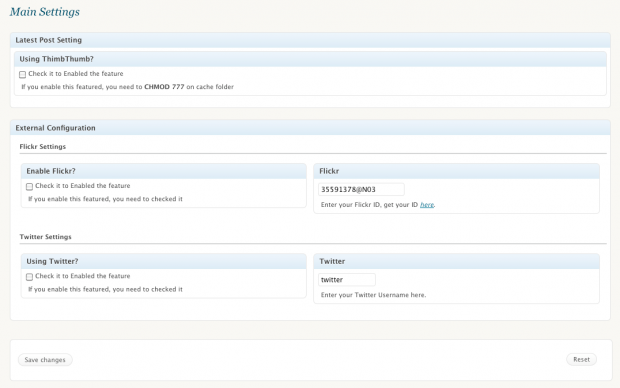 Gunungkidul New Theme Panel
Plugin Needed?
For better experience install this following plugins
Check Gunungkidul Theme demo and if you satisfied with it, please share on 😉
Download
You can download Gunungkidul on WordPress.org Theme Directory or using our links below
[download id=”10″]
Need custom?
Using our contact from.
Releases Notes
- 1.0 : Initial Released
- 1.1 : Fix and Redesigned Theme Panel, Better coding on header, sidebar and footer
- 1.2 : Published on WordPress.org Theme Directory
- 1.3 : Fix Blockquote CSS and Recent comment widget (thanks for Marita to reported this bugs)
Hello – great theme, I finally found one that I feel at home with 🙂
BUT;
1. Why is there no css for quotes? Now my quotes shows up by the wame way as regular text. Do you have a piece of code I could put in the css-file?
2. The titles in the sidebar is weird looking, I want them to not be so far away from the content.. how do I fix that?
3. The share-thingy (twitter, facebook, etc) after the post – I don’t want that, how do I remove it?
4. And finally, at the top right of the blog, there is a red line with rss-links and so on.. I have managed to remove the links to rss comments etc, but I want the whole red line to be gone – how?
Btw, I’m using the theme on my blog http://marita.net
Thanks for help in advance 🙂
Thanks you marita.. I was updated this bugs on version 1.3 please download it again….
The Header displays the date/time incorrectly. The Time component should be HOURS:MINUTES using h:i instead of h:m syntax. (Lower case m is for month and not time) Also, this now uses Server time (dependant on server geo location) and not the adjusted WordPress time.
Hi LearnToFly editor, do you have any suggestion to fix it? and let’s me updated Gunungkidul theme…
Thanks for great themes.
I want to add adsense on top of post (before post/after header), where I place the adsense code?
HI,
lovely theme.
I have a problem, I installed the theme yesterday and cannot find the admin button to login. It sounds ridiculous but I simply dont find it! It was at the navigattion on header…now its not visible.
tnx..
I tried to download a widget that supports the login from the navigation but somehow it didnt work, the button admin wasnt enabled.
Thank you for this perfect theme.
We use for one of our site : http://indonesia.SekolahVirtual.or.id
Excellent !!!
Beautiful and clean theme so my blog looks so nice. Thank you.
I love this theme. Really do. But I’m cracking my head about the sidebar. I understood that you have to disable all the widgets to have Flickr and the others to work. But I need some more things there. I’ve tried everything, including that piece of code said to Roland. Didn’t work for me. I tried to add another sidebar – didn’t work. I don’t know anymore what to try.
Hi There,
Great theme, really want to use it, but I find that if I have sub-pages, the menu is broken in Chrome.
Sometimes when you hover over the menu, the drop down can be accessed, but sometimes it clears before you can choose a sub-menu item.
Works fine in Firefox and IE8
regards, Dave
How can I change the overall width of this theme ?
I’m using this theme now, but i have a little problem with recent comment plugin. could you help me to exclude admin comment?
Hi Aguscwid, if you want exclude admin comment, you can use default wordpress recent comment or using get_recent_comment plugin..
It’s great to find another Indonesian wp theme developer.
I’m loading the demo now, and start clicking the download link right after this comment.
Keep a good work bro..!!
Hey ive loaded up this template on this site: theboardwalkempire.com, however im not sure how to edit the subcategories under the header? like how do i add a link to my forum. thanks.
Thanks a lot, it’s my new theme !
Hi,
First, I would like to thank you for this great theme. I just have a quick question. For some reason, the latest posts are not showing on the sidebar on the home page. It shows on on the single page but not on the home page.
Please help.
Thanks.
Julia
You need to create more post to show your latest post. Our Latest post using new method. I call it Dynamics Latest Post 😉
how many posts ? cause I have created 7 posts and still no lastest post on the home page 🙁
thx !!
ps: great theme btw ! 🙂
oki it works !! 🙂
maybe in order to avoid people bothering u, u should say that we need to add 10 posts before it works non ?
good day
nathalie.