Author Archive


WordPress 3.2 Released and has been download more than 330K in 24 hours

Posted 09 Jul 2011 — by WPGPL Team
Category WordPress News

Awesome, latest release of WordPress 3.2 has been successfully downloaded more than 330K in 24 hours. This is awesome records by WordPress.org team.

WordPress 3.2 with code name Gershwin a jazz pianist have been refreshed WordPress dashboard design and introduce new fresh WordPress default theme TwentyEleven based on Duster Theme.
Download WordPress 3.2 on http://Wordpress.org/download

WordPress 3.2 Beta 2 Has come

Posted 30 May 2011 — by WPGPL Team
Category WordPress News

WordPress 3.2 Beta 2 has come, there are many improvement that available. WordPress 3.2 Beta 2 is an update from previous version. There are many bugs fix and new featured added. This WordPress version give much more handled on WordPress admin area.

Here is some improvement on WordPress 3.2 Beta 2

  • Google Chrome Frame is now supported in the admin, if you have it installed. This is especially useful for IE 6 users (remember, IE 6 is otherwise deprecated for the admin).
  • The admin is less ugly in IE 7.
  • The blue admin color scheme has caught up to the grey one, and is ready for testing.

Download WordPress 3.2 Beta 2 on this URL

Free WordPress Theme: Widodo

Posted 06 May 2011 — by WPGPL Team
Category WordPress Themes

Widodo is our May 2011 WordPress Theme, we use minimal color and design, we are happy using 960.gs framework. This theme supported many new featured on WordPress 3.0, WordPress 3.1 and beyond.

Widodo WP Theme Feature Widodo WP Theme Feature

Read the rest of this entry »

Download Debug Bar WordPress Plugin

Posted 08 Mar 2011 — by WPGPL Team
Category WordPress Plugins

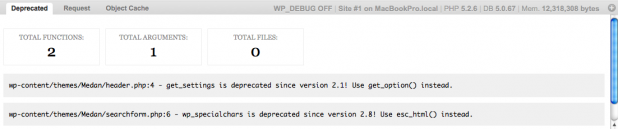
Debug Bar is WordPress Plugin for Developer. This plugin really useful for Plugin Developer and Theme Developer. Why each developer must install this plugin?

WP Debug Bar Screenshot

WP Debug Bar Screenshot

Adds a debug menu to the admin bar that shows query, cache, and other helpful debugging information.

When WP_DEBUG is enabled it also tracks PHP Warnings and Notices to make them easier to find.

When SAVEQUERIES is enabled the mysql queries are tracked and displayed.

Read the rest of this entry »

Free WordPress Theme: Medan

Posted 25 Feb 2011 — by WPGPL Team
Category WordPress Themes

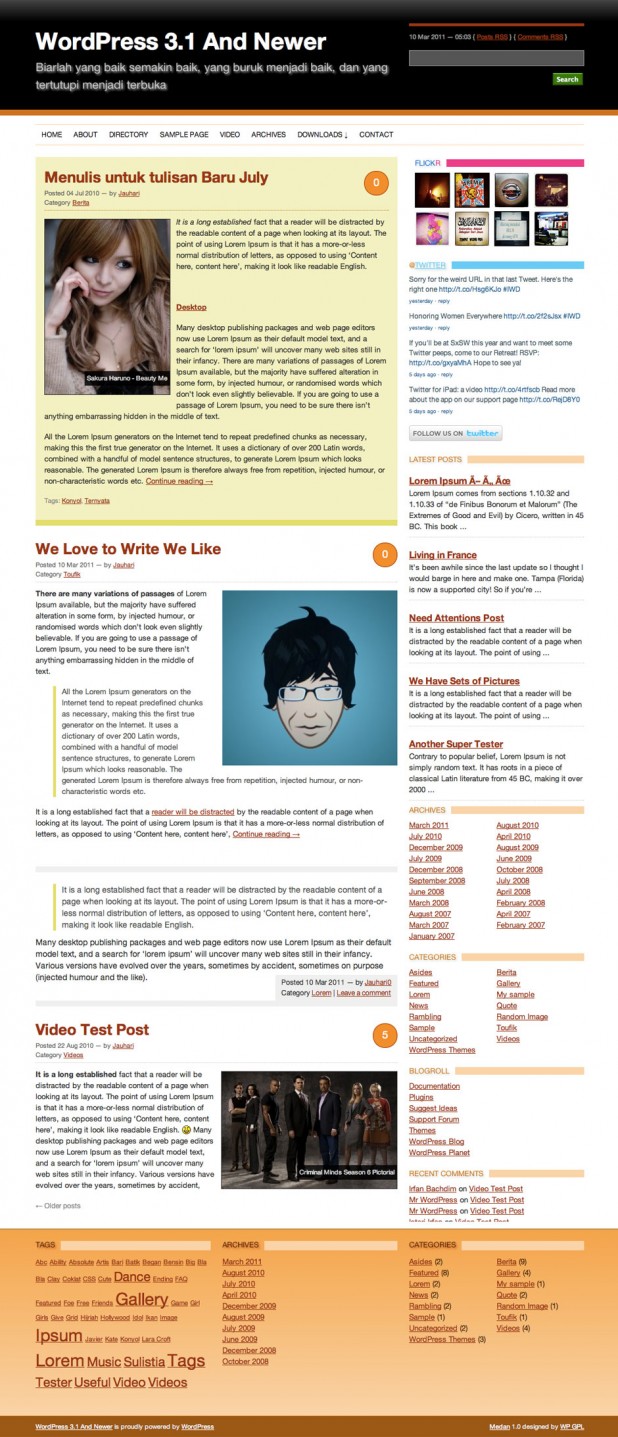
Medan is unique WordPress Themes, created in March 2011 by WPGPL Team. This theme dedicated to Medan City in Indonesia.

Medan WordPress Theme Screenshot Medan WordPress Theme Screenshot

Medan is 2 columns WordPress GPL Themes, we created extra stunning and using no image. So the theme will be loaded very quickly. We are using jQuery to create Drop Down Menu. We are also added extra option to make it easier using this theme. Read the rest of this entry »

Download WordPress 3.1 “Reinhardt”

Posted 23 Feb 2011 — by WPGPL Team
Category WordPress News
Django Reinhardt Photo

Django Reinhardt Photo

Have you update and Download WordPress 3.1 “Reinhardt”? Matt has been posted on WordPres.org News that New version of WordPress (WordPress 3.1 “Reinhardt”) has come. The name of WordPress 3.1 is Reinhardt, Reinhardt is the jazz guitarist Django Reinhardt. There are so many update on WordPress 3.1, Jauhari has been write more details about WordPress 3.1 Reviews.

WPGPL.com has been updated into WordPress 3.1 too. So, have you update your WordPress website too? For me, the most interesting is what Matt has been said

WordPress is more of a CMS than ever before – Matt

That’s awesome right? So come on and create more sophicated website using WordPress. If you need WordPress Theme, we have too 🙂 Download Latest WordPress 3.1 here, learn more about latest WordPress 3.1 Codex here

Download Regenerate Thumbnails WP Plugin

Posted 13 Feb 2011 — by WPGPL Team
Category WordPress Plugins

You nee to Download Regenerate Thumbnails WP Plugin. Why I recommended this plugin? Because this plugin is the perfect way to recompile you entire WordPress Thumbnail. Using Regenerate Thumbnail Plugin. You can batch command and re build you thumbnail.

The Developer has said, why this plugin really awesome useful

This is very handy if you’ve changed any of your thumbnail dimensions (via Settings -> Media) after previously uploading images or have changed to a theme with different featured post image dimensions.

This plugin will handle it automatically. Change Thumbnail size not a big deal anymore. Read the rest of this entry »

WP Save Custom Header Plugin

Posted 02 Feb 2011 — by WPGPL Team
Category WordPress Plugins

WP Save Custom Header is new WordPress Plugin. This plugin is simple work.

This plugin lets you save and reuse your uploaded header images. It will save your images to the ‘images/headers’ folder within your template folder.

In the Custom Header menu the images will then show up as defaults, together with your other registered custom header images.

Right now WP Save Custom Header has been translate into Two languages English and Deutsch, WP Save Custom Header is developed by Konstantin Obenland. You can use WP Save Custom Header with latest WordPress version include pre release WordPress 3.1. Download WP Save Custom Header here

Download SEO Rank Reporter Plugin

Posted 29 Jan 2011 — by WPGPL Team
Category WordPress Plugins

Today I will introduce another SEO Plugin for WordPress, this plugin call it SEO Rank Reporter, this plugin is good for SEO on your WordPress site.

SEO Rank Reporter plugin will track your Google rankings every 3 days and report the data in an easy-to-read graph

That look interesting right, you can keep an update on your WordPress site rank on Google. For more details about SEO Rank Reporter you can check on the features Read the rest of this entry »

How To Add a login/logout link to Your Navigation Menu

Posted 25 Jan 2011 — by WPGPL Team
Category WordPress Tricks

New WordPress 3 Menus is Awesome feature, I really like it, using WordPress Navigation Menu, we can create more sophisticated menu ever seen. We can arrange our menu more easily and many more. Now we will share How To Add a login/logout link to your navigation menu.

You need to write this code on your functions.php and the login/logout link will be automatically added on your WordPress Menu Navigation

add_filter('wp_nav_menu_items', 'add_login_logout_link', 10, 2);
function add_login_logout_link($items, $args) {

		ob_start();
		wp_loginout('index.php');
		$loginoutlink = ob_get_contents();
		ob_end_clean();

		$items .= '<li>'. $loginoutlink .'</li>';

	return $items;
}

Read the rest of this entry »